PHP String Concatenation

Part of the course: php for beginners

PHP String Concatenation

1. Introduction to String Concatenation

• What is Concatenation?

String concatenation is the process of joining two or more strings together to form a single string.
In PHP, concatenation does not modify the original strings unless the result is explicitly assigned to a variable. It simply takes multiple string values and combines them in the order they are written. This is useful when creating dynamic messages, combining text with variable values, or constructing complex outputs like HTML or file paths.

• Why is Concatenation Used in PHP?

Concatenation is commonly used in PHP because:

  • PHP applications often generate dynamic content, requiring strings to be combined at runtime.

  • It helps developers build readable and flexible output, especially when mixing static text with variables, function results, or user input.

  • PHP does not automatically merge values — concatenation gives full control over how text is constructed.

  • It is essential when working with web output (HTML), logs, URLs, SQL queries, templates, and more.

  • PHP offers a simple and fast concatenation operator (.), making it a core part of everyday string handling.
 

2. Concatenation Operators in PHP

• The Dot (.) Operator

In PHP, the dot (.) operator is the main string concatenation operator.
It is used to join two or more string values together in a single expression. When PHP evaluates the statement, it converts values (if needed) into strings and then merges them in the exact order they appear. The result is a new string, but the original values remain unchanged unless you assign the result to a variable.

Use the dot operator when:

  • You want to combine strings in one line

  • You are building output dynamically

  • You need strict control over formatting and order

Example:

$name = "John";
echo "Hello " . $name . "! Welcome!";

Output:

Hello John! Welcome!

• The Dot-Equal (.=) Operator

The dot-equal (.=) operator is a string assignment concatenation operator.
Instead of just joining values, it appends a string to an existing variable and stores the result back into that variable. This makes it useful when building long or repeated string content step by step, especially inside loops or conditional blocks.

Use the .= operator when:

  • You need to grow a string gradually

  • You want to avoid rewriting the variable multiple times

  • You are assembling text from multiple operations

Example:

$text = "I like";
$text .= " PHP";
$text .= " and also JavaScript.";
echo $text;

Output:

I like PHP and also JavaScript.

Key Differences

Operator Creates New String? Modifies Variable? Best Used For
. Yes No (unless assigned) One-line concatenation
.= No Yes, appends to same variable Step-by-step building

3. Basic Examples

• Concatenating Two Strings

The simplest form of string concatenation in PHP is joining two string values using the dot (.) operator.
PHP reads the strings from left to right and merges them into a single resulting string.

Example:

echo "Good" . "Morning";

Output:

GoodMorning

Since no space was added, the words appear directly next to each other.

• Concatenating Multiple Strings

You can also concatenate more than two strings in one statement by chaining the dot (.) operator repeatedly. This allows you to combine several parts into one text output.

Example:

echo "I" . " love" . " PHP" . "!";

Output:

I love PHP!

Each part is joined in the order written, giving full control over formatting.

• Adding Spaces Between Strings

PHP does not automatically insert spaces, so if you want spacing between words, you must add it deliberately inside the quotes or as separate concatenated elements.

Example 1 (space inside strings):

echo "Hello " . "World!";

Output:

Hello World!

Example 2 (space as separate concatenation):

echo "Hello" . " " . "World!";

Output:

Hello World!

Both methods work the same — the important rule is that you control the spacing, not PHP.

4. Concatenation with Variables

• Strings + Variable Values

In PHP, you can join a string with a variable using the dot (.) operator.
PHP takes the text and the variable value, converts them to strings if necessary, and combines them into a new string.

Example:

$firstName = "Alice";
echo "Hello, " . $firstName . "!";

Output:

Hello, Alice!

This approach is useful when generating dynamic messages, labels, or user-based content.

• Numbers + Strings

PHP automatically converts numbers into strings during concatenation. This means you can safely concatenate integer or float values with text.

Example:

$age = 25;
echo "Age: " . $age;

Output:

Age: 25

Another example with floats:

$price = 99.50;
echo "Total price is $" . $price;

Output:

Total price is $99.5

⚠️ Note: When a float ends with .00, PHP may remove trailing zeros in output unless formatted explicitly.

• Boolean and Null Behavior in Concatenation

When concatenating non-string types like boolean or null, PHP converts them using the following rules:

Value Type Converted Result
true "1"
false "" (empty string)
null "" (empty string)

Examples:

$isMember = true;
echo "Member status: " . $isMember;

Output:

Member status: 1
$isOnline = false;
echo "Online: " . $isOnline;

Output:

Online:

(nothing appears after Online: because false becomes an empty string)

$value = null;
echo "Result: " . $value;

Output:

Result:

(null also becomes an empty string)

Practical Notes

  • Concatenation lets you control output structure when mixing text and variables.

  • PHP automatically converts numbers, booleans, and null into string equivalents.

  • . joins values without modifying originals unless assigned.

  • Add spaces or symbols yourself to format output cleanly.

5. Using the .= Assignment Operator

The .= (dot-equal) operator in PHP is a shortcut assignment operator used to append a string to an existing variable. Instead of rewriting the variable each time, .= allows you to build a string step by step.

It works like this:

$variable .= "text";

Which is the same as:

$variable = $variable . "text";

• Appending Strings Step by Step

One of the biggest advantages of .= is that it lets you grow a string gradually. This is especially useful when constructing long text, logs, HTML output, or when concatenating inside loops.

Example:

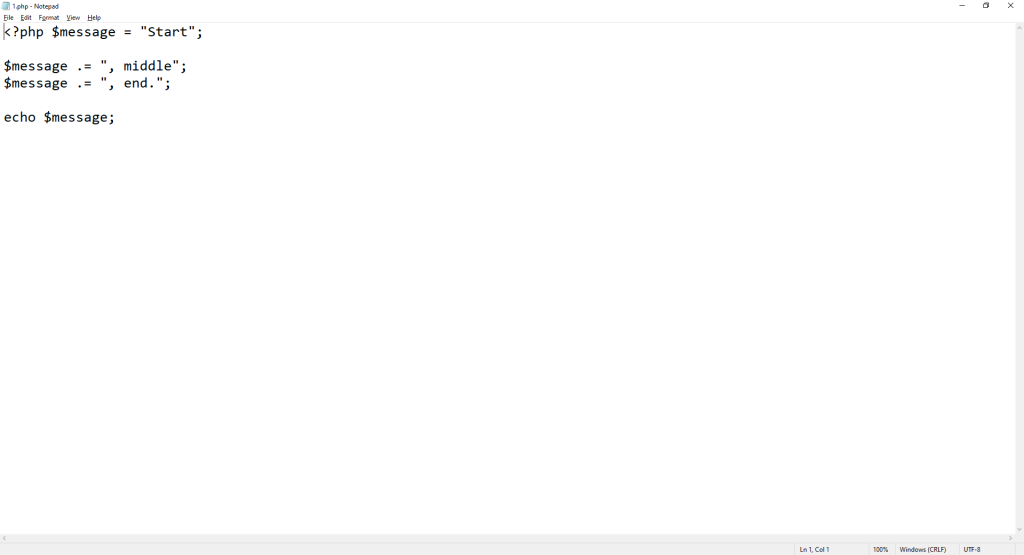
$message = "Start";

$message .= “, middle”;
$message .= “, end.”;

echo $message;

PHP String Concatenation

Output:

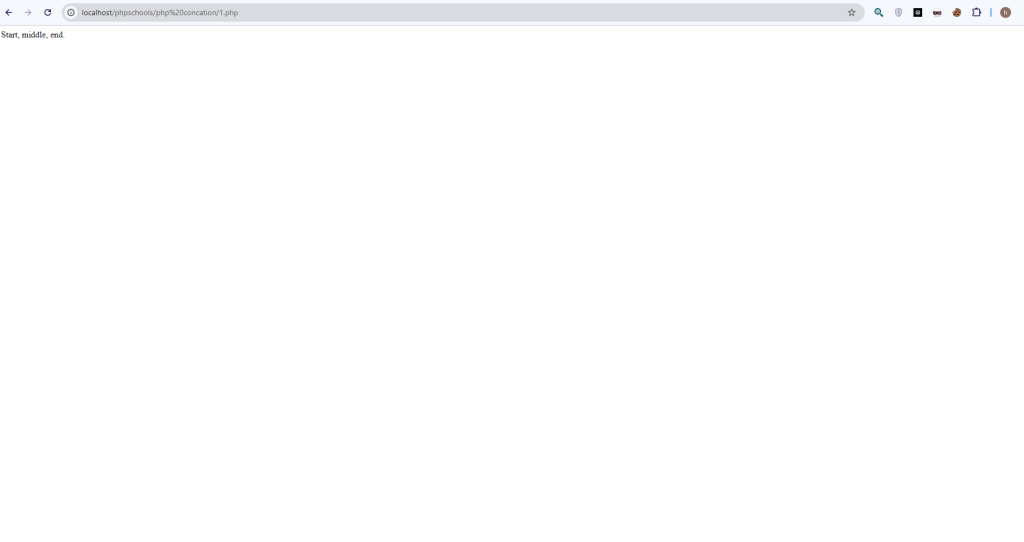
Start, middle, end.
PHP String Concatenation

Each .= adds new text to the previous content stored in the variable.

• Cleaner and More Readable Code

Instead of writing:

$text = $text . " part1";
$text = $text . " part2";
$text = $text . " part3";

You can write:

$text .= " part1";
$text .= " part2";
$text .= " part3";

This saves time, improves readability, and reduces repetitive code.

• Useful Inside Loops

When generating strings inside loops—like building a list or processing data—.= becomes extremely helpful.

Example:

$output = "";

for ($i = 1; $i <= 3; $i++) {
$output .= “Item “ . $i . “\n”;
}

echo $output;

Output:

Item 1
Item 2
Item 3

Each loop iteration appends new content to the same variable.

• Performance Considerations

While .= is convenient, using it excessively inside very large loops can be slower, because each append operation creates a new copy of the string in memory.

For extremely large concatenation tasks (like thousands of iterations), using an array + implode() can be more efficient.

Example alternative:

$items = [];

for ($i = 1; $i <= 1000; $i++) {
$items[] = “Item “ . $i;
}

$output = implode(“\n”, $items);

6. Concatenation vs Interpolation

PHP allows you to combine text and variables in two different ways:

  1. String concatenation using the dot (.) operator

  2. Variable interpolation inside double-quoted strings (" ")

Although both produce similar results, they behave differently and are suitable for different situations.

.• Using Double Quotes for Variable Interpolation

When you place a variable inside double quotes, PHP automatically detects it and inserts its value into the string. This is called interpolation, and it can make the code look cleaner and more natural.

Example:

$name = "Sam";
echo "Hello, $name!";

Output:

Hello, Sam!

You can also wrap variables with {} when joining them with letters or complex expressions to avoid confusion:

$fruit = "apple";
echo "I like {$fruit}s";

Output:

I like apples

✅ PHP only interpolates variables inside double quotes, not single quotes.

• When to Prefer Interpolation

Use interpolation when:

  • You want more readable and cleaner syntax

  • You are mixing simple variables in the middle of text

  • You want to avoid long chains of . operators

  • You are writing template-like strings (messages, paragraphs, etc.)

Example (interpolation is cleaner here):

echo "User $username has $messages new messages.";

Instead of:

echo "User " . $username . " has " . $messages . " new messages.";

• Differences from Dot Operator Concatenation

Feature Interpolation (" $var ") Concatenation (.)
Quotes Required Double quotes only Works in both single & double quotes
Behavior Automatically replaces variables Manually joins values
Readability Cleaner for simple variables Can become longer and harder to read when chained
Expressions Limited (use {} for complex cases) Fully supports functions and expressions anywhere
Result One parsed string Joins separate values into a new string
Performance Slightly faster in many cases Slightly slower when heavily chained

Important Notes

✔ Concatenation gives maximum flexibility, especially when working with:
function calls, inline conditions, or objects that must be converted to strings.

✔ Interpolation is better for simple variables inside text.

✔ Concatenation does not automatically add spaces or formatting — you must control them manually:

echo "Hello" . $name; // No space!
echo "Hello $name"; // Space not required, looks natural

Using Array Variables in Double-Quoted Strings Requires {}

In PHP, when you use variable interpolation inside double quotes, PHP tries to detect the variable automatically.
However, if the variable contains an array index (e.g., $arr['key'] or $arr[0]), PHP cannot always parse it correctly unless you wrap the entire variable in curly braces {}.

So the rule is:

When an array variable has an index inside a double-quoted string, it must be written inside {}

Example

$user = ["name" => "Liam", "age" => 30];

echo “User name is {$user[‘name’]} and age is {$user[‘age’]}.”;

Output:

User name is Liam and age is 30.

What Happens Without {} ?

echo "User name is $user['name']";

PHP will treat $user as the variable, not $user['name'], causing a warning or incorrect output, because PHP stops parsing the variable when it sees the ' or [.

Conclusion

  • PHP can interpolate simple variables like $name directly in " "

  • But indexed array elements like $array['key'] or $array[0] must always be inside {}

  • This ensures PHP reads the variable and its index as a whole, avoiding errors or unexpected behavior.


Concatenation Inside Loops

Concatenating strings inside loops is common (building lists, HTML fragments, CSV rows, logs, etc.). It’s simple to do, but can become a performance and memory problem if not done carefully. Below I explain how to do it correctly, show examples, and give alternatives and micro-optimizations.

1) Building dynamic content (typical patterns)

Example — building a simple list with .=:

$output = "";
foreach ($items as $item) {
$output .= "<li>" . $item . "</li>";
}
$output = "<ul>" . $output . "</ul>";
echo $output;

This is straightforward and readable — great for small-to-moderate amounts of data.

Example — building CSV rows:

$csv = "";
foreach ($rows as $r) {
$csv .= $r['col1'] . "," . $r['col2'] . "\n";
}
file_put_contents('out.csv', $csv);

2) Why .= can become expensive

  • Repeated copying: In many PHP implementations each append may create a new string buffer (the previous contents copied + new part). For small loops this cost is negligible; for thousands or millions of iterations it adds up.

  • Memory growth: The accumulated string resides in memory. Building very large strings can exhaust memory.

  • Garbage churn: Frequent allocations and deallocations increase CPU work and memory fragmentation.

So .= is convenient and perfectly fine for modest workloads, but for very large concatenations or inner loops you should use other patterns.

3) Best practices

3.1 Use .= for small/medium builds

If you’re concatenating a few items or the final result is modest in size, .= is readable and fine.

3.2 Use implode() with arrays for large lists

Collect parts into an array then join once with implode() — this avoids repeated copying.

$parts = [];
foreach ($items as $item) {
$parts[] = "<li>$item</li>";
}
$output = "<ul>" . implode("", $parts) . "</ul>";
echo $output;

implode() does one allocation for the final string, which is far more efficient for large numbers of elements.

3.3 Avoid string-building in very hot inner loops

If the loop is nested or executed millions of times, prefer approaches that stream output or minimize temporary allocations.

3.4 Stream output when appropriate

If you can send output progressively (and don’t need the entire string in memory at once), echo or output buffering (ob_start() / ob_flush()) can be better:

echo "<ul>";
foreach ($items as $item) {
echo "<li>$item</li>";
}
echo "</ul>";

This avoids building the whole string. It’s a good approach for long-running scripts that produce HTML/CSV directly to the client or a file.

3.5 Avoid repeated expensive lookups inside loop

Cache repeated property/method accesses in a local variable:

$items = $obj->getItems(); // do this once
foreach ($items as $item) {
$parts[] = ...;
}

4) Efficiency tips and micro-optimizations

  • Prefer implode() for many small parts. Use an array push ($parts[] = ...) inside the loop and one implode() after the loop.

  • Use [] array push instead of array_push()[] is slightly faster and cleaner.

  • Minimize concatenation of many small strings in the loop — prefer constructing each element as a single string (e.g., use interpolation or one concatenation per element), then push to array.

  • Localize variables: assign frequently used variables to local scope to avoid repeated lookups (property or global).

  • Avoid unnecessary function calls inside the loop (formatting, escaping) — do them only when needed.

  • When writing to files, prefer incremental writes (e.g., fwrite() inside the loop) if you don’t need the whole content in memory.

  • When outputting to the browser, PHP’s output buffering and web server buffering will help; but avoid building an enormous string only to echo it if streaming is possible.

  • For extremely large or binary data, consider using streams (SPL, streams, resource handles) rather than building strings.

5) Memory- and performance-aware alternatives

  • Array + implode() — best general solution for large numbers of items.

  • Direct echo/fwrite() inside loop — good when you can stream.

  • Output buffering (ob_start(), ob_get_clean()) — let PHP build buffer but control when it’s flushed.

  • Generators — if producing an iterable result that will be consumed piecewise, use generators to avoid building whole arrays/strings.

  • Templates / templating engines — might manage buffering more efficiently and improve readability for complex HTML.

6) Practical comparison (guideline)

  • Use .=: when building small-to-medium strings, or when readability is more important than micro-performance.

  • Use implode(): when concatenating many parts (hundreds or thousands).

  • Stream with echo/fwrite: when the result can be output progressively or files need incremental writes.

  • Profile when in doubt: measure on realistic data — premature optimization is unnecessary, but if you see memory or CPU problems, switch to implode() or streaming.

7) Example — recommended pattern for big lists

// Recommended for large lists
$lines = [];
foreach ($rows as $r) {
// build each line once and push
$lines[] = $r['col1'] . "," . $r['col2'];
}
// join once
file_put_contents('out.csv', implode("\n", $lines));

Or streaming to file:

$fp = fopen('out.csv', 'w');
foreach ($rows as $r) {
fwrite($fp, $r['col1'] . "," . $r['col2'] . PHP_EOL);
}
fclose($fp);

8) Quick checklist before using .= in a loop

  • Will the final string be large (MBs+) or formed from thousands+ elements? → consider implode() or streaming.

  • Do you need the whole output in memory at once? → if not, stream it.

  • Is the loop inside another hot loop or performance-critical path? → avoid repeated concatenation.

  • Are you profiling? → measure and decide.


Concatenation with Functions and Expressions — full explanation

This section covers practical rules, gotchas, and best practices when you concatenate the results of functions or expressions (including conditional expressions, isset() checks, ternary/?:, and the null-coalescing ??) in PHP.

1. Functions in concatenation — how to use them

You can concatenate function return values directly with the . operator:

$name = "alice";
echo "Hello, " . strtoupper($name) . "!"; // Hello, ALICE!

Important points

  • Interpolation inside double quotes does not call functions.
    This will not call strtoupper():

    echo "Hello, {strtoupper($name)}"; // WRONG — functions are not evaluated by interpolation

    Use concatenation or assign the function result to a variable first.

  • If the function returns non-string types:

    • Numbers are converted to strings automatically.

    • null becomes an empty string.

    • Arrays will produce an “Array to string conversion” warning and the string "Array". Avoid concatenating arrays directly.

    • Objects must implement __toString() to be concatenated; otherwise you’ll get a fatal error in modern PHP.

Example with object:

class Person {
private $name;
public function __construct($n) { $this->name = $n; }
public function __toString() { return $this->name; }
}
$p = new Person("Maya");
echo "User: " . $p; // OK: "User: Maya"

2. Concatenating expressions (math, string ops)

You can combine arithmetic or other expressions inside concatenation — but use parentheses to make precedence explicit:

$qty = 3; $price = 9.99;
echo "Total: " . ($qty * $price) . " USD"; // Total: 29.97 USD

Why parentheses? Operator precedence can cause surprises. The concatenation operator . has its own precedence relative to +, ? :, etc., and to avoid ambiguity always parenthesize expressions you compute.

3. Concatenation with conditional expressions (ternary / ?:)

Ternary expressions are often used inline when building strings. Always wrap the ternary in parentheses when concatenating to avoid precedence issues:

$score = 75;
echo "Status: " . ($score >= 60 ? "pass" : "fail"); // Status: pass

Without parentheses, the parser may bind . and ?: differently than you expect. Parentheses make intent clear and safe.

4. isset() and ternary / null coalescing when concatenating

When reading from arrays or objects that may not contain values, use isset() or the null-coalescing operator ?? to supply a fallback. Prefer ?? when available (PHP 7+).

Using isset() + ternary:

echo "Name: " . (isset($user['name']) ? $user['name'] : 'Guest');

Using null-coalescing (??) — simpler and recommended:

echo "Name: " . ($user['name'] ?? 'Guest');

Both forms ensure you do not get notices about undefined indexes and provide a readable fallback.

5. Combining isset(), function calls, and formatting

You can chain checks, function calls and formatting — keep things readable with parentheses and small helper variables when necessary:

// compact but readable
echo "Price: " . (isset($product['price']) ? number_format($product['price'], 2) : 'N/A');
// clearer: assign intermediate result
$priceText = isset($product[‘price’]) ? number_format($product[‘price’], 2) : ‘N/A’;
echo “Price: “ . $priceText;

6. Alternatives & best practices

Prefer ?? when checking for missing array keys

$val = $arr['key'] ?? 'default'; is concise and avoids isset() verbosity.

Use sprintf() or printf() for complex formatting

For multiple variables or precise formatting, sprintf() often yields clearer code:

echo sprintf("User %s has %d messages", $username, $messages);

This keeps formatting separate from concatenation logic.

Escape output for HTML or other contexts

Always sanitize/escape user-supplied data when building HTML:

echo "Hello, " . htmlspecialchars($user['name'] ?? 'Guest');

Avoid concatenating arrays/unsupported objects

If a function might return an array, convert it appropriately (e.g., implode()):

$tags = getTags(); // might return array
echo "Tags: " . (is_array($tags) ? implode(", ", $tags) : $tags);

Keep parentheses to avoid precedence bugs

When in doubt, wrap function calls and expressions in () before concatenating.

7. Full examples

Function return + ternary + ??:

$profile = getUserProfile($id); // may return array or null
echo "Welcome, " . ($profile['display_name'] ?? strtoupper("Guest"));

Complex example with formatting and safety:

$amount = getPaymentAmount(); // float|null
$amountText = is_null($amount) ? '—' : number_format($amount, 2);
echo "Amount paid: $" . $amountText;

Streaming output (avoid huge concatenation):

echo "<ul>\n";
foreach ($items as $it) {
echo "<li>" . htmlspecialchars($it) . "</li>\n";
}
echo "</ul>\n";

8. Quick checklist before you concatenate functions/expressions

  • Will the function return a scalar (string/number) or a complex type (array/object)? Handle arrays/objects explicitly.

  • Do you need a fallback for missing values? Use ?? or isset() with ternary.

  • Are you formatting numbers/dates? Use number_format(), date(), or sprintf().

  • Could operator precedence cause a bug? Add parentheses.

  • Is the output going to HTML or another context? Escape it (htmlspecialchars, etc.).

  • For heavy concatenation (many elements), consider implode() or streaming to avoid performance issues.


Working with HTML and PHP

When generating dynamic web pages in PHP, concatenating strings to build HTML is a common task. Doing it correctly is important for readability, maintainability, and security. This section covers best practices, common mistakes, and ways to improve your code.

1. Building HTML Strings Using Concatenation

You can create HTML elements by concatenating strings, variables, and function results. Use the . operator to combine static HTML with dynamic content.

Example: Simple List

$items = ["Apple", "Banana", "Cherry"];
$html = "<ul>";
foreach ($items as $item) {
$html .= “<li>” . $item . “</li>”;
}$html .= “</ul>”;
echo $html;

Output:

<ul>
<li>Apple</li>
<li>Banana</li>
<li>Cherry</li>
</ul>

Example: Dynamic Table

$users = [
["name" => "Alice", "age" => 25],
["name" => "Bob", "age" => 30]
];
$html = “<table border=’1′><tr><th>Name</th><th>Age</th></tr>”;foreach ($users as $user) {
$html .= “<tr><td>” . $user[‘name’] . “</td><td>” . $user[‘age’] . “</td></tr>”;
}

$html .= “</table>”;
echo $html;

This technique allows combining data and markup dynamically.

2. Avoiding Common Mistakes

  1. Missing quotes

// WRONG
echo "<a href=$link>Click</a>"; // Missing quotes around $link

Fix:

echo "<a href='" . $link . "'>Click</a>";
  1. Mixing single and double quotes incorrectly

// WRONG
$html .= '<li>" . $item . "</li>'; // Will not parse $item

Fix:

$html .= "<li>" . $item . "</li>"; // Correct
  1. Not escaping user data
    Never insert user input directly into HTML; use htmlspecialchars() or similar:

$html .= "<li>" . htmlspecialchars($item) . "</li>";
  1. Forgetting spaces
    HTML may break visually if you forget spaces in concatenation:

echo "<p>" . $name . "is logged in</p>"; // Output: Aliceis logged in

Fix:

echo "<p>" . $name . " is logged in</p>";

3. Improving Readability

Concatenating large HTML blocks can become messy. Use the following strategies:

3.1 Use heredoc / nowdoc syntax

Heredoc allows embedding variables in multi-line strings without excessive concatenation.

$html = <<<HTML
<ul>
HTML
;
foreach ($items as $item) {
$html .= “<li>” . htmlspecialchars($item) . “</li>”;
}$html .= “</ul>”;
echo $html;

3.2 Combine interpolation for variables

For simple variables, interpolation reduces clutter:

foreach ($items as $item) {
$html .= "<li>{$item}</li>";
}

3.3 Break HTML into smaller parts

Split large blocks into smaller templates or reusable functions:

function renderUserRow($user) {
return "<tr><td>{$user['name']}</td><td>{$user['age']}</td></tr>";
}
$html = “<table><tr><th>Name</th><th>Age</th></tr>”;
foreach ($users as $user) {
$html .= renderUserRow($user);
}
$html .= “</table>”;

This improves readability and maintainability, especially for larger projects.

3.4 Use arrays + implode() for lists

When building large lists or tables:

$rows = [];
foreach ($users as $user) {
$rows[] = "<tr><td>{$user['name']}</td><td>{$user['age']}</td></tr>";
}
$html = "<table>" . implode("", $rows) . "</table>";

This is often more readable and sometimes more efficient than repeated .= concatenation.


Working with HTML and PHP Using Concatenation

Generating HTML dynamically in PHP is a core use of string concatenation. When done correctly, it allows you to combine static HTML with variables, function results, and loops to produce flexible web output. However, improper concatenation can lead to errors, messy code, or security issues.

This section explains how to build HTML strings, avoid common mistakes, and improve readability.

1. Building HTML Strings Using Concatenation

The basic method is to use the dot (.) operator to join HTML tags with variables or function results.

Example 1: Simple List

$items = ["Apple", "Banana", "Cherry"];
$html = "<ul>";
foreach ($items as $item) {
$html .= “<li>” . $item . “</li>”;
}$html .= “</ul>”;
echo $html;

Output:

<ul>
<li>Apple</li>
<li>Banana</li>
<li>Cherry</li>
</ul>

Example 2: Table with Dynamic Data

$users = [
["name" => "Alice", "age" => 25],
["name" => "Bob", "age" => 30]
];
$html = “<table border=’1′><tr><th>Name</th><th>Age</th></tr>”;foreach ($users as $user) {
$html .= “<tr><td>” . $user[‘name’] . “</td><td>” . $user[‘age’] . “</td></tr>”;
}

$html .= “</table>”;
echo $html;

Key points:

  • Use concatenation to mix static HTML with variables.

  • Loops allow dynamic generation of repeated elements (e.g., <li> or <tr>).

2. Avoiding Common Mistakes

When working with HTML concatenation, beginners often make errors that break output or cause unexpected results.

2.1 Missing quotes around attributes

// Wrong:
echo "<a href=$link>Click here</a>";
// Correct:
echo “<a href='” . $link . “‘>Click here</a>”;

2.2 Mixing single and double quotes incorrectly

// Wrong:
$html .= '<li>" . $item . "</li>'; // Variable will not be parsed
// Correct:
$html .= “<li>” . $item . “</li>”;

2.3 Forgetting to escape user data

Directly outputting user input can cause HTML injection. Always use:

$html .= "<li>" . htmlspecialchars($item) . "</li>";

2.4 Missing spaces or formatting

Concatenation does not automatically add spaces:

echo "<p>" . $name . "is logged in</p>"; // Output: Aliceis logged in

Fix:

echo "<p>" . $name . " is logged in</p>";

3. Improving Readability

As your HTML grows, concatenation can become messy. Use these strategies:

3.1 Use Curly Braces {} for interpolation

When embedding variables in strings:

$html .= "<li>{$item}</li>";

This is cleaner than breaking the string with multiple . operators.

3.2 Heredoc Syntax for Multi-line HTML

$html = <<<HTML
<ul>
HTML
;
foreach ($items as $item) {
$html .= “<li>” . htmlspecialchars($item) . “</li>”;
}$html .= “</ul>”;
echo $html;

  • Allows multi-line strings without repeated concatenation.

  • Improves readability for larger blocks of HTML.

3.3 Use Arrays + implode()

For long lists or tables:

<?php

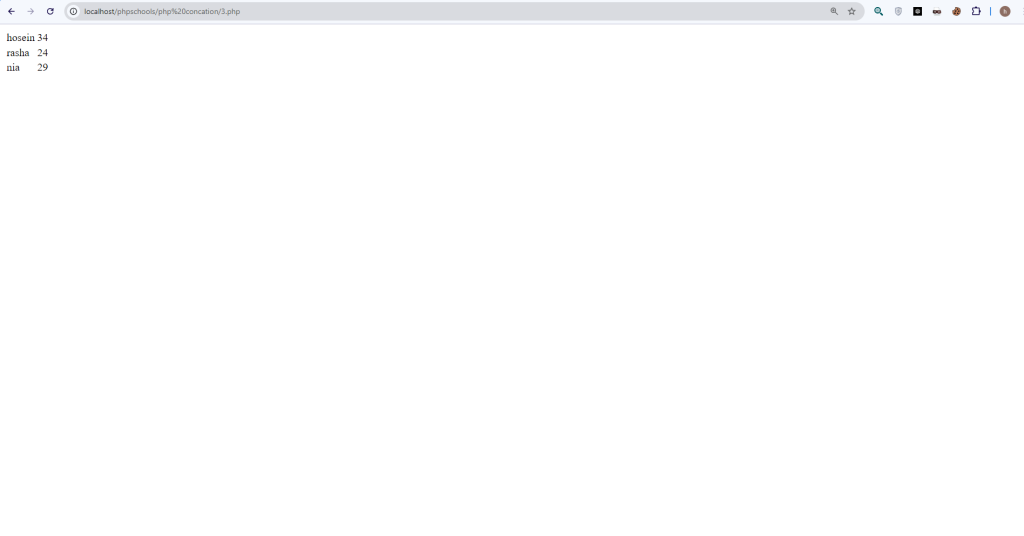
$users=[[“name”=>”hosein”,”age”=>34],[“name”=>”rasha”,”age”=>24],[“name”=>”nia”,”age”=>29]];
$rows = [];

foreach ($users as $user) {
$rows[] = “<tr><td>{$user[‘name’]}</td><td>{$user[‘age’]}</td></tr>”;
}$html = “<table>” . implode(“”, $rows) . “</table>”;
echo $html;
PHP String Concatenation

  • Avoids repeated .= operations.

  • Easier to read and maintain.

  • Often more efficient for large data sets.

3.4 Create reusable functions

function renderUserRow($user) {
return "<tr><td>{$user['name']}</td><td>{$user['age']}</td></tr>";
}
$html = “<table><tr><th>Name</th><th>Age</th></tr>”;
foreach ($users as $user) {
$html .= renderUserRow($user);
}
$html .= “</table>”;
  • Breaks HTML generation into smaller, manageable parts.

  • Makes code more maintainable.